
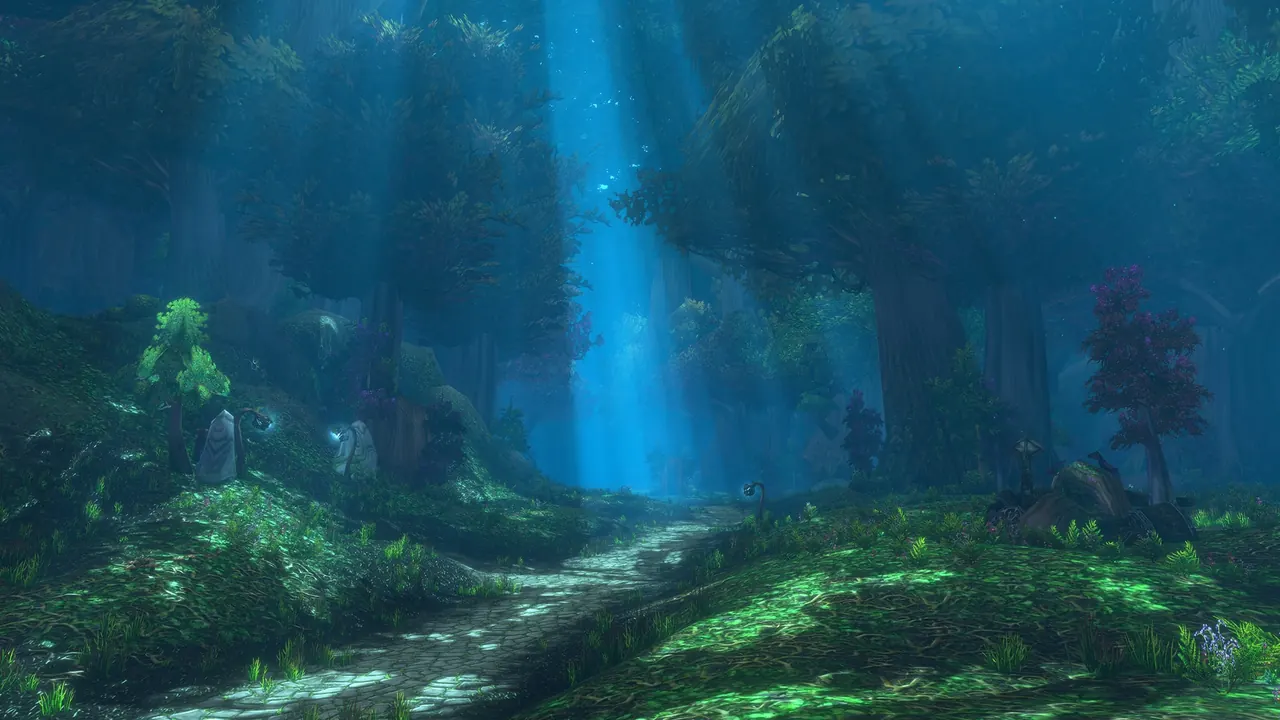
Press Ctrl+R to show your FPS: the community wiki gives it as the default binding for the framerate display. WoW Forever has a hard floor for graphics cards: AMD GCN 1, NVIDIA Maxwell, Intel Skylake or newer, because it needs RGBA16F UAV support in compute shaders. GeForce GTX 760, 770 and 780, Radeon HD 6950 and Intel HD 6000 are not supported, and Blizzard calls cards just above the floor “well below the minimum requirements”.
The beta names options such as Secondary Lighting, SSAO and Shadow Quality, but Blizzard hasn’t published a recommended preset. Ray Traced Shadows was removed on October 1, to return once fixed. Sources: Blizzard’s graphics card post and beta development notes.
How to show FPS in WoW
- Press Ctrl+R to toggle the framerate display
 Community wiki: Community wiki: ToggleFramerate, not yet confirmed in Forever.
 - If nothing happens, the binding may have changed: look for the framerate display in the key binding menu.
- Change one option, stand in the same place, compare the number. To type settings instead, see console commands.
Can my PC run WoW Forever?
Blizzard has set a hard floor for graphics cards  Confirmed by Blizzard: Confirmed by Blizzard: WoW Forever graphics card support. What else Forever changes: Forever vs Classic.
| Graphics cards | |
|---|---|
| Supported | AMD GCN 1, NVIDIA Maxwell, Intel Skylake, or newer |
| Not supported | GeForce GTX 760, 770 and 780, Radeon HD 6950, Intel HD 6000 |
| Just above the floor | Blizzard: “well below the minimum requirements” |
The full requirements are on the Battle.net Shop listing. Mac model lists and a DirectX 11 versus 12 statement aren’t in any Blizzard post we’ve read  Not announced: Blizzard hasn't announced this.
Best WoW Forever graphics settings: what’s in the beta
Blizzard has shown new rendering (rivers in Elwynn Forest, mist in Darkshore, moonlight in Ashenvale), HD and SD character models, and “Modern and Classic visual presets” Confirmed by Blizzard: Confirmed by Blizzard: World of Warcraft: Forever What's Next Panel Recap. What the presets contain isn’t announced.
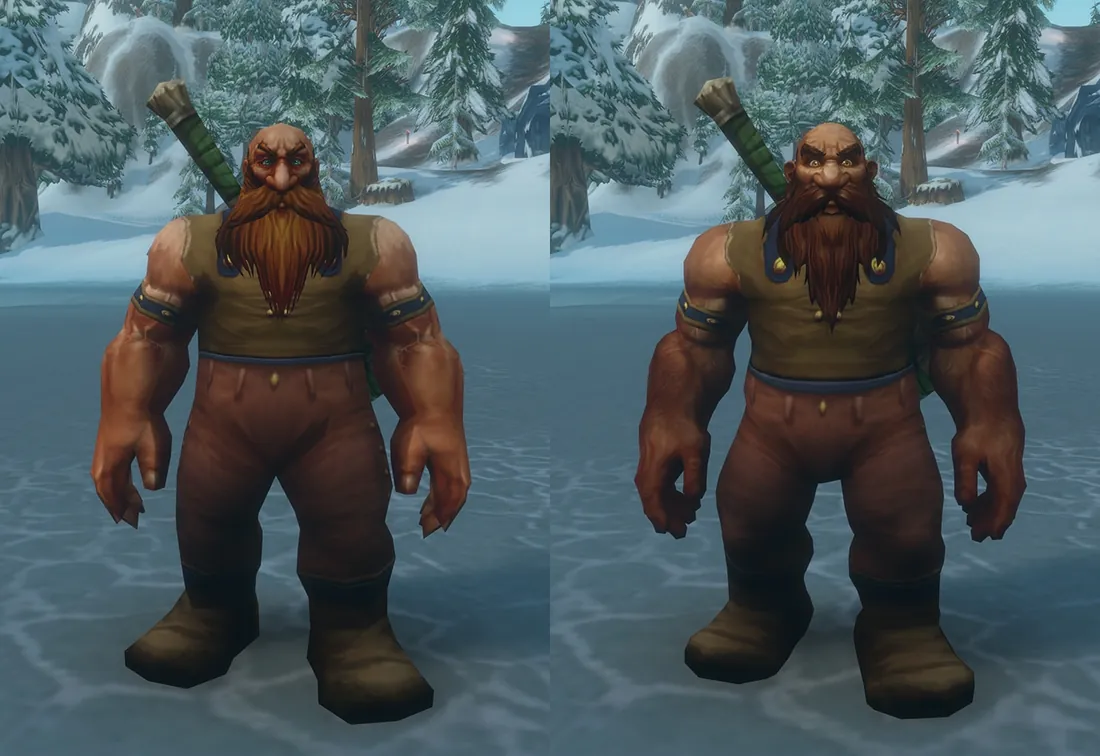
Option names seen in the beta (not a full list)  Beta, may change: In the beta as of 2026-10-08, may change before launch:
 Secondary LightingPlayers report a heavy GPU load, and in early builds a GPU hang on Apple Silicon above Fair.
 Players report: Players report this; not confirmed by Blizzard
 SSAO
SSAO Shadow Quality
 Optional GPU Features
 Triple Buffering
 Advanced Work Submit
Players also report FPS drops on some AMD cards under DirectX 12 Players report: Players report this; not confirmed by Blizzard.
Ray Traced Shadows and other beta fixes
 Ray Traced ShadowsRemoved October 1; the notes say it returns once fixed. Whether it’s back by launch isn’t announced.Beta, may change: In the beta as of 2026-10-08, may change before launch
- Memory leak fixedIt caused gradual performance loss; fixed September 24. If FPS sank for you in early builds, test again.Beta, may change: In the beta as of 2026-10-08, may change before launch
- Fog setting removedOne that could switch fog off by accident (September 24).Beta, may change: In the beta as of 2026-10-08, may change before launch
 RainEasier to see.Beta, may change: In the beta as of 2026-10-08, may change before launch
Cap your frame rate (Max Foreground FPS)
Blizzard’s support article 32248 points to Max Foreground FPS and Max Background FPS in the advanced graphics options, and to the console form  Not confirmed in Forever: Not yet confirmed in WoW Forever:
/console maxfps 30A cap limits the frame rate; it doesn’t raise it. Max Background FPS is the cap for when the game runs in the background. We couldn’t load the article on October 9, 2026, and it covers WoW in general.
What on wow-forever.gg helps
- Forever vs ClassicWhat changed in the game itself, record by record.
 Blizzard’s postsThe development notes that list each graphics fix.
 Console commands
maxfpsand the other settings you type.
Questions
How do I see FPS in WoW?
Press Ctrl+R: it toggles the framerate display by default Community wiki: Community wiki: ToggleFramerate, not yet confirmed in Forever.
How do I remove the FPS counter from the screen?
Press Ctrl+R again. The same key turns the display off Community wiki: Community wiki: ToggleFramerate, not yet confirmed in Forever.
Is my graphics card too old for WoW Forever?
If it’s older than AMD GCN 1, NVIDIA Maxwell or Intel Skylake, yes Confirmed by Blizzard: Confirmed by Blizzard: WoW Forever graphics card support.
Will Ray Traced Shadows be in WoW Forever at launch?
Not announced. It was removed from the beta on October 1, to return once fixed Beta, may change: In the beta as of 2026-10-08, may change before launch.
